
CARD PAYMENTS GUIDE
Card Machines for Small Businesses in Ireland
How the main types of card machine differ, what to check on connectivity, receipts and battery life, and what cafés, shops, salons, tradespeople, market traders and professional services typically need.
The short answer
The right card machine depends on where you take payments and how busy you are:
- Selling at one counter? A countertop terminal or smart terminal linked to your till.
- Taking payment at the table or around a venue? A portable terminal on Wi-Fi.
- On the road or at markets? A mobile card reader, or a terminal with its own mobile data connection.
- Low volume or just starting? Tap to Pay on a compatible phone may be all you need.
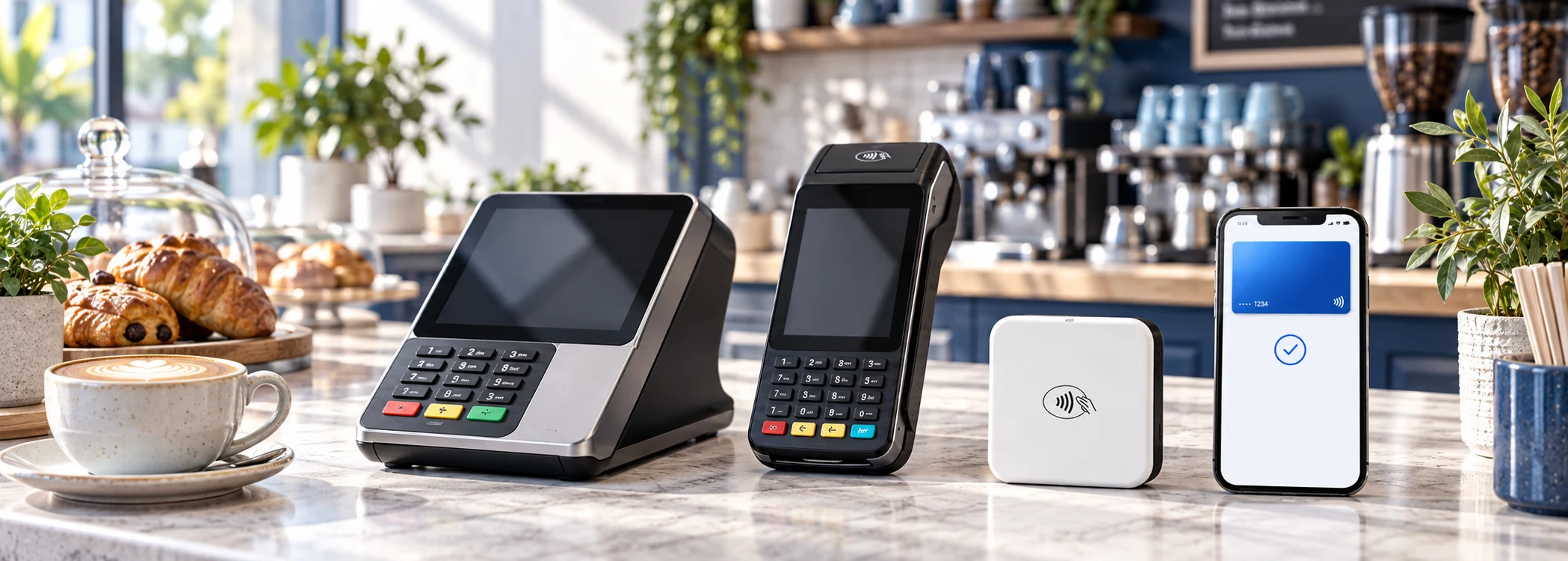
"Card machine" covers everything from a pocket-sized reader that pairs with your phone to a full till with a customer-facing screen. They all accept contactless, chip and PIN, Apple Pay and Google Pay. What separates them is how they connect, how long they last on a charge, whether they print receipts and how well they fit with your till or booking system, and those are the things that decide which one suits your business.
Types of card machine compared
| Type | How it connects | Receipts | Best fit |
|---|---|---|---|
| Countertop terminal | Ethernet, Wi-Fi or cable to a till | Often printed | One fixed point of sale |
| Portable terminal | Wi-Fi, sometimes mobile data | Printed on some models, or digital | Table service and moving around a venue |
| Mobile card reader | Bluetooth to a phone or tablet | Usually by email or text | Trades, markets and low volumes |
| Smart terminal | Wi-Fi, ethernet or mobile data | Printed or digital | Businesses wanting a till and terminal in one |
| Tap to Pay on a phone | The phone's own data or Wi-Fi | Digital | Occasional payments with no extra hardware |
Countertop terminals
A countertop terminal stays at the till. It is usually powered from the mains and connected by ethernet or Wi-Fi, and may be linked to your electronic point-of-sale (EPOS) system so the amount appears on the terminal automatically. Many have a built-in printer. They are dependable in a busy shop, pharmacy or salon reception because they never need charging and rarely lose connection.
The limitation is obvious: the customer comes to the machine. That is fine at a counter, less so in a restaurant or on a shop floor.
Portable terminals
Portable terminals are standalone, battery-powered devices with their own screen and keypad. Staff carry them to the customer, which is why they are the standard choice for table service. Most connect over Wi-Fi, so they only work within range of your network; some also take a SIM for mobile data. Check the Wi-Fi coverage at the far end of your premises, the beer garden or the upstairs function room before you rely on it.
Mobile card readers
A mobile card reader is a small device, usually pocket-sized, that pairs with a smartphone or tablet by Bluetooth. The provider's app on your phone does the work: entering the amount, connecting to the internet and sending the receipt. Readers are the cheapest dedicated hardware and suit anyone who takes payments in different places, from a plumber finishing a job to a stallholder at a weekend market.
The trade-off is that your phone becomes part of the till. If the phone's battery dies or it loses signal, you cannot take a payment.
Smart terminals
Smart terminals run the provider's point-of-sale software on a larger touchscreen, and some run third-party apps. One device can take orders, track stock, split bills, record tips and take the payment, so a small café or boutique may not need a separate till. Some are handheld; others sit on the counter with a second screen facing the customer. They cost more than a basic terminal, and you are more tied to one provider's software.
Tap to Pay on a phone
Tap to Pay lets a compatible smartphone accept contactless cards and digital wallets directly through the provider's app, with no card reader. It is a low-cost way to start: at the time of checking, Revolut offered Tap to Pay on iPhone with no hardware cost, and Stripe listed Tap to Pay at an extra €0.10 per authorisation on top of its in-person rate.
Supported phones and features vary by provider, and it takes contactless payments only, so there is no slot for a customer's card. It works well for occasional payments, as a backup to your main terminal, or for a business testing whether card payments are worth it.
Connectivity: Wi-Fi, mobile data or Bluetooth
How a machine connects decides where it will work, and a dropped connection at the till means a lost sale.
- Ethernet is the most reliable, but ties the terminal to one spot.
- Wi-Fi suits most shops and restaurants. Test the signal where payments actually happen, not just beside the router, and keep the terminal on a network that is not shared with customers where possible.
- Mobile data (a SIM in the terminal) keeps a portable machine working away from your premises. Coverage varies across the country, so check it at the places you trade, particularly rural markets, festivals and job sites.
- Bluetooth connects a mobile reader to your phone, which then uses its own Wi-Fi or data. Keep the phone and reader close together.
Ask whether a terminal can take payments offline and upload them later. Some can, within limits, but offline payments carry a risk that the card is declined when it is finally processed.
Printed or digital receipts
Plenty of customers still want a receipt, especially for business expenses. You have three options:
- Printed receipts from a terminal with a built-in printer or a separate receipt printer. Budget for paper rolls.
- Digital receipts sent by email or text, which most readers and apps support. They are cheaper and easier to find later, but you need the customer's contact details.
- No receipt, which may be fine for small contactless sales, as long as you can provide one on request.
If you are VAT-registered and your customers are businesses, check what information your receipts or invoices must show.
Battery life on portable machines
Manufacturers quote battery life in hours or number of transactions, usually under ideal conditions. In practice, a portable terminal used for a full Saturday lunch and dinner service, with printing, may need a top-up during the day. Questions worth asking:
- Can it last a full trading day at your volume?
- Is there a charging dock, and can it charge while in use?
- Does printing drain the battery noticeably?
- For a mobile reader, does your phone last the day with the app running?
For market traders and anyone working outdoors, a power bank is cheap insurance.
Integrated vs standalone terminals
A standalone terminal works on its own: you key in the amount and the customer pays. It is simple and works with any till, but staff type the amount twice, which adds time and occasional errors.
An integrated terminal is connected to your EPOS or booking system, which sends the amount across automatically and records the payment against the sale. That reduces mistakes, speeds up busy periods and makes end-of-day reconciliation much easier. Before choosing a provider, check that it works with the till, booking or ordering software you already use, or whether you would need to switch.
Buying vs renting a card machine
Most providers aimed at small businesses sell hardware outright and charge per transaction, so the machine is yours and you can stop using it at any time. Published standard prices on our card payment provider comparison ran from €19 + VAT for a basic reader to €699 + VAT for a full register, checked on 28 September 2026. The catch is that a bought machine usually only works with the provider that sold it.
Traditional merchant services often rent terminals monthly, sometimes on contracts of a year or more. Rental can include maintenance and a swap-out if the machine fails, which matters if a dead terminal would close your till. Ask how quickly a replacement arrives, whether you can upgrade during the term, and what happens to the machine when you leave.
To cost the two options over several years alongside transaction fees, see our guide to card machine fees and hardware costs.
Which card machine suits your type of business?
Cafés and restaurants
Portable terminals are the norm for table service, so customers can pay without queueing at the counter. Look for tipping prompts on the terminal, bill splitting, and integration with your ordering system so each table's bill lands on the machine. A second machine avoids queues at the lunchtime peak and gives you a backup. If most sales are small, watch fixed per-payment fees: the worked examples in our fees guide show how quickly they add up for a coffee counter.
Retail shops
A countertop or smart terminal integrated with your EPOS keeps prices, stock and payments in step. Printed receipts are still expected in many shops. Busy retailers should ask about processing speed, how refunds work at the till, and support hours at weekends. A portable terminal can help with queue busting at Christmas.
Salons and barbers
Payment usually happens at a reception desk, so a countertop or smart terminal suits most salons. The bigger question is software: if you use online booking, check whether the booking system can take deposits or no-show fees and whether it works with your card machine. Tipping on the terminal is useful where tips are common.
Tradespeople
Electricians, plumbers, builders and other trades mostly take larger payments on site or after a job. A mobile card reader or Tap to Pay on your phone handles on-site payments; payment links and invoices with a card payment option handle deposits and final bills. Check mobile coverage in the areas you work. For remote options, see our guide to payment links, invoices and virtual terminals.
Market stalls and pop-ups
You need something portable, quick to set up and independent of venue Wi-Fi. A mobile reader with your phone's data, or a portable terminal with a SIM, is usually best. Battery life and signal matter more here than almost anywhere else. Low or no monthly fees suit seasonal trading.
Professional services
Accountants, consultants, therapists and similar businesses often take few in-person payments. Invoices with a card payment button, payment links and a virtual terminal may cover almost everything. If clients do pay in person, a simple reader or Tap to Pay is usually enough. Integration with your accounting software often matters more than the hardware.
Choosing a card machine: a quick checklist
- Where exactly will customers pay: at a counter, at a table or on site?
- How many payments do you take on a busy day, and what is a typical amount?
- Which connection will work reliably in every place you trade?
- Do you need printed receipts?
- Does it need to work with your till, booking or accounting software?
- Will the battery last your longest trading day?
- Is it bought or rented, and what is the total cost over three years?
- What happens if it breaks, and how fast is a replacement?
Once you know which type you need, see which providers offer it and at what price on our card payment provider comparison. If you have not taken card payments before, our step-by-step guide to accepting card payments covers sign-up, verification and testing.
Card machines: frequently asked questions
What is the difference between a card reader and a card terminal?
A reader is the small, cheaper option: it relies on your phone or tablet for the app, the internet connection and the receipt. A terminal works on its own, with its own screen, keypad, connection and often a printer, so it keeps working when your phone is busy or flat.
Can I use a card machine without Wi-Fi?
Yes, if it has a SIM for mobile data or pairs with a phone that has a signal. Some terminals can also store payments offline for a short time.
Do card machines accept Apple Pay and Google Pay?
Yes. Any modern contactless machine accepts Apple Pay and Google Pay, because they use the same contactless technology as cards.
Can I use my phone as a card machine in Ireland?
Yes, with a provider that supports Tap to Pay on your phone model. It takes contactless cards and wallets through the provider's app with no extra hardware.
How many card machines does my business need?
Enough to avoid queues at your busiest time, plus a backup if card payments are essential. A small café might need one counter machine and one portable, while a sole trader usually needs one.
Where to go next
-
Compare card payment providers in Ireland
See the card readers and terminals each provider offers, with published prices and fees.
-
Card machine fees explained
Transaction fees, hardware costs, monthly charges and worked examples for different businesses.
-
How to accept card payments in Ireland
From choosing a provider and passing verification to testing and your first payout.
General information; we do not recommend any particular provider or device. Hardware prices are published standard prices checked on 28 September 2026; confirm current details with the provider.