
CARD PAYMENTS GUIDE
How to Accept Card Payments in Ireland
A practical, step-by-step guide for Irish businesses starting to take card payments, in person, online or both, from choosing a provider and passing verification to testing, payouts and keeping costs under control.
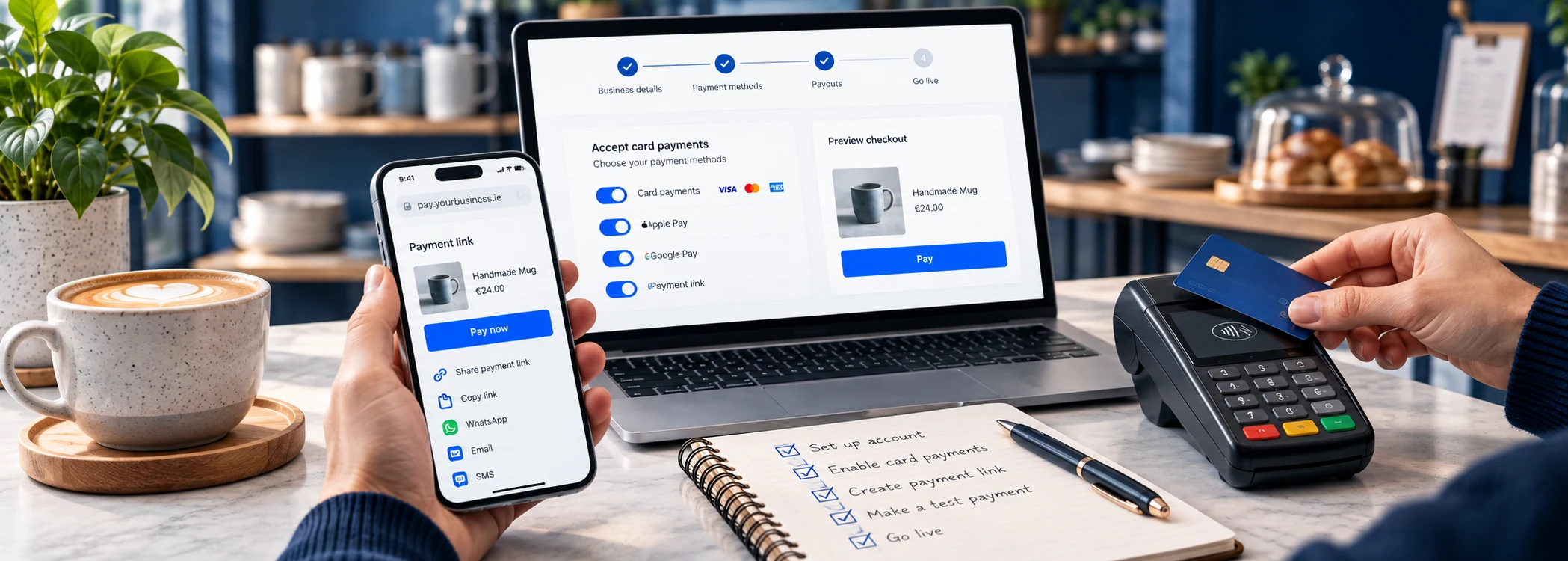
The short answer
To accept card payments in Ireland, sign up with a payment provider, pass its identity and business checks, then take payments through a card machine, your phone, a payment link or a website checkout. Verification is usually the step that decides how quickly you can start: straightforward applications can clear quickly, while mismatched documents or higher-risk trades take longer.
How to accept card payments: step by step
- Decide where customers will pay. In person, online, over the phone, by invoice, or a mix.
- Choose the payment methods you need. Card machine, Tap to Pay, payment links, online checkout, invoices or a virtual terminal.
- Shortlist and compare providers. Keep those that support how you want to be paid, then cost each one against your own sales.
- Apply and complete verification. Provide ID, business details and a bank account for payouts.
- Set up your hardware and online tools. Order and pair a card machine, or set up links, invoices or checkout.
- Configure settings. Receipts, tipping, staff access, refunds and reporting.
- Test before going live. Use test mode, then take and refund a small real payment.
- Go live and let customers know. Display the cards you accept and add card payment options to your website and invoices.
- Reconcile payouts and monitor costs. Match payouts to sales and review your fees after the first few months.
Step 1: Decide where customers will pay
Start with how your customers buy from you today, and how they would like to. Payments usually happen:
- At a counter or till in a shop, salon or café.
- At a table in a restaurant or pub.
- On the move at a customer's home, a job site, a market or an event.
- Online through your website or an online shop.
- Remotely, by phone, email or messaging, or when you send an invoice.
Many businesses need more than one. A café may take most payments at the counter but want payment links for catering orders. A tradesperson may take payment on site for small jobs and send invoices for larger ones. Write your list down; it shapes every decision that follows.
Step 2: Choose in-person payments, online payments or both
Card payments fall into two broad groups, and providers often price them differently.
In-person payments
The customer is with you and taps or inserts their card, or taps their phone or watch. You will need a card machine, a card reader paired with your phone, or Tap to Pay on a compatible phone. Contactless, chip and PIN, Apple Pay and Google Pay all work this way. Our guide to choosing a card machine for your small business explains the different devices.
Online and remote payments
The customer is not with you. You can take payment through:
- Payment links sent by email, text or messaging app.
- Invoices with a "Pay now" button.
- An online checkout on your website or online shop.
- A virtual terminal, where you type in card details given over the phone.
These are covered in depth in our guide to online card payments, gateways and payment links. Remote payments usually cost more than in-person ones, so it is worth knowing how much of your trade will come through each route.
Step 3: Choose a payment provider
A payment provider processes the card payment and pays the money into your account. You can go to a bank's traditional merchant services, usually with a rented terminal and a contract, or to a newer provider that bundles the account, processing and hardware into one online sign-up, often with no minimum term.
With your list from steps 1 and 2 in hand, narrow the field to providers that support every way you want to be paid and work with any software you already use, such as your till, booking system or website platform. Then compare what each would cost for your own sales, not just the headline rate.
Our comparison of card payment providers in Ireland sets out published fees, hardware, monthly charges and payout terms side by side. To work out what those fees mean for your sales, card machine fees in Ireland explained walks through worked examples.
Step 4: Set up your merchant account and complete verification
Traditionally, accepting cards meant applying for a merchant account with an acquiring bank, then renting a terminal separately. Many newer providers combine the merchant account, the payment processing and the hardware in one application, so you do not deal with a separate acquirer.
What verification involves
Providers must check who they are dealing with before paying money out, under anti-money-laundering rules. This is often called onboarding or "know your customer" (KYC). Expect to provide:
- Personal identification for the owner or directors, such as a passport or driving licence, sometimes with a selfie or video check.
- Proof of address.
- Business details: legal name, trading name, address and what you sell. Limited companies will usually be asked for their Companies Registration Office (CRO) number and details of directors and beneficial owners.
- A bank account for payouts, usually in the business's name, or an account with the provider itself.
- Your website or social media, if you sell online, so the provider can see what you sell and your refund policy.
Sole traders can generally apply in the same way as companies, using their personal details and trading name.
What can slow things down
Verification can take anything from minutes to a few weeks. It tends to take longer if documents do not match (for example, a trading name that differs from your registered name without explanation), if you sell in a sector providers see as higher risk, such as travel or subscriptions, or if you expect large advance payments. Having clear, matching documents ready speeds things up. Some providers let you start taking payments before verification is complete but hold payouts until it is done.
Step 5: Set up your card machine and payment tools
Choosing and setting up a card machine
If you are taking payments in person, choose the device that suits where you trade:
- A countertop terminal for a fixed till.
- A portable terminal for table service or moving around your premises.
- A mobile card reader paired with your phone for trades, markets and pop-ups.
- Tap to Pay on a compatible phone, with no extra hardware, where your provider supports it.
When it arrives, charge it fully, connect it to Wi-Fi or mobile data, pair it with the provider's app if needed, and install any software updates before your first real customer.
Accepting contactless payments
Customers expect to tap a card, phone or watch, and any modern card machine or Tap to Pay setup accepts it. Three practical points:
- Contactless limits are set by the card issuer. Above the limit, or periodically for security, the customer will be asked to insert their card and enter their PIN. Your machine handles this automatically.
- Digital wallets such as Apple Pay and Google Pay verify the customer on their phone, so the card's contactless limit does not apply in the same way.
- Keep chip and PIN available. Some customers still prefer it, and it is needed when contactless is declined.
Setting up payment links, invoices and online checkout
Remote payment tools are mostly switched on in your provider's dashboard rather than installed:
- Payment links can usually be created and sent as soon as your account is approved. Send one to yourself first to see what customers see.
- Invoices: connect your provider to your accounting package, or use the provider's own invoicing, so a "Pay now" button appears and paid invoices are marked automatically.
- Online checkout: if your website runs on a shop platform or website builder, connect the provider through the platform's payment settings. A custom site needs a developer.
- Virtual terminal: for phone orders, give access only to staff who need it, and never write card details down.
Which of these suits your business, and how they differ on cost and risk, is covered in our guide to choosing an online payment method.
Step 6: Configure your settings
Before you go live, spend half an hour on the settings most people skip:
- Receipts: printed, email, text, or all three. Add your business name, address and VAT number if registered.
- Tipping: switch on tip prompts if they suit your business.
- Staff access: give each staff member their own login and limit who can issue refunds.
- Payout account: double-check the IBAN and the payout schedule.
- Notifications: set up alerts for disputes and failed payouts.
- Integrations: connect your till, booking system or accounting software.
Step 7: Test before going live
Online payment tools often have a test or "sandbox" mode that lets you run pretend payments with test card numbers. Use it to check your checkout, payment links, confirmation emails and receipts.
Then, for both in-person and online payments, take one small real payment with your own card and refund it. This confirms that:
- the payment goes through and appears in your dashboard;
- the receipt shows the right business details;
- the refund works and you know how to do it;
- the payout reaches your bank account on the expected day.
Test the card machine in the exact spot you will use it, with the connection you will use on a busy day.
Step 8: Go live and let customers know
Once testing is done, make it obvious that you take cards. Display the logos of the cards and wallets you accept at the door and the till, add them to your website footer and checkout, and put a payment link or "Pay by card" option on your invoices and quotes. If you are replacing a cash-only or older system, brief staff on taking payments, issuing refunds and what to do if the machine goes offline.
Step 9: Reconcile payouts and monitor costs
Payouts and settlement
Card takings do not land in your bank account instantly. The provider collects them, deducts its fees and pays out the balance on a schedule, a process called settlement. Standard payouts typically arrive within one to a few working days, and some providers offer faster or instant payouts, sometimes for a fee.
Three things catch new businesses out:
- Payouts are usually net of fees, so the amount received is less than your takings. Record the gross sale and the fee separately in your books.
- Weekends and bank holidays can delay payouts with some providers.
- New accounts may have a slower first payout or a rolling reserve while the provider builds up a history with you.
Reviewing what card payments cost you
After two or three months, check what card payments have actually cost you. Divide your total fees by your total card takings to get your effective rate, and compare it with what you expected. If it is higher, check whether international cards, keyed-in payments, instant payouts or a monthly plan are pushing it up.
Review again at least once a year, or when your business changes: a new website, a second location, or a big shift in average sale value can all change which provider and pricing suits you best.
Handling refunds and chargebacks
A refund is when you return money to a customer, usually to the card they paid with. Refunds are processed through your provider's app, dashboard or terminal. Some providers keep the original processing fee when you refund.
A chargeback is when the customer asks their bank to reverse the payment. The funds are taken back from your balance while the dispute is reviewed, and some providers charge a fee. You can usually submit evidence, such as receipts, signed job sheets, delivery confirmations or messages, to contest it.
To reduce disputes, use a trading name on customer statements that people will recognise, publish a clear refund policy, and respond quickly to complaints before they become chargebacks.
Keeping card payments secure: PCI and fraud
Card security is governed by an industry rule book, the Payment Card Industry Data Security Standard (PCI DSS), and your provider will ask you to follow it. If you only take payments through the provider's own terminal, app, payment links or hosted payment page, the provider does most of the heavy lifting. Your part is mainly good habits:
- never writing down or storing full card numbers or security codes;
- using strong, unique passwords and two-factor authentication on your payment account;
- keeping card machines and apps updated;
- giving staff their own logins and removing access when they leave;
- being wary of calls or emails asking for account details or urging an urgent refund.
For online payments, EU rules on strong customer authentication mean many customers will confirm the payment in their banking app. Providers build this into their checkouts and payment links, so there is nothing extra for you to set up.
Accepting card payments: frequently asked questions
How quickly can I start accepting card payments?
The application itself is usually quick. Verification is what varies: from minutes to a few weeks, depending on your documents and what you sell. Hardware delivery can add a few days, but Tap to Pay and payment links can often be used as soon as your account is approved.
Do I need a business bank account to accept card payments?
Most providers pay out to a bank account in the business's name, and some require you to hold an account with them. Sole traders may be able to use an account in their own name, depending on the provider. Check the requirements before you apply.
How much does it cost to start accepting card payments?
You can start with no hardware cost using Tap to Pay on a supported phone or payment links. A card reader or terminal is a one-off purchase with most newer providers; published standard prices we checked ran from €19 + VAT to €699 + VAT. After that you pay transaction fees, explained in our guide to card machine fees.
Can a sole trader accept card payments in Ireland?
Yes. Sole traders sign up in much the same way as companies, using personal ID, proof of address and details of what they sell. If you trade under a name other than your own, providers will expect it to match your business name registration with the CRO.
Which cards should I accept?
Most providers accept Visa and Mastercard debit and credit cards as standard, along with digital wallets. American Express and other card types may be accepted at a different rate. Display the logos of the cards you accept at the till and on your website.
Where to go next
-
Compare card payment providers in Ireland
Put the steps above into practice with a side-by-side view of published fees and features.
-
Choose a card machine for your business
Countertop, portable, mobile and Tap to Pay options, with advice for different trades.
-
Take card payments online
Payment gateways, payment links, invoices and virtual terminals explained.
General information, not legal, financial or tax advice. Provider terms change; check current terms with the provider before you sign up.